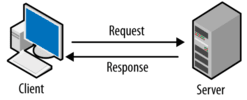
This tool displays the full set of HTTP headers sent by your browser when accessing a website. It helps you inspect request details such as content types, encoding, and security-related headers. This insight is useful for understanding how your browser communicates with servers and for troubleshooting unexpected behavior.
Your HTTP Headers are:
| HTTP Header | Value |
|---|---|
| Accept | */* |
| Accept-Encoding | gzip, br, zstd, deflate |
| Host | webmaster.codeiqai.com |
| User-Agent | Mozilla/5.0 AppleWebKit/537.36 (KHTML, like Gecko; compatible; ClaudeBot/1.0; +claudebot@anthropic.com) |
Understand Your Browser Request Parameters and HTTP Headers
Every single time your web browser visits a link, it sends an invisible batch of structural identification metrics known as HTTP request headers to the receiving web server. Our free What Are My HTTP Headers Tool instantly intercepts and displays this connection metadata in a clean, structured table format. By reviewing these live parameters, web developers, privacy analysts, and technical optimizations teams can see exactly what network credentials their browser transmits during an active session.
How This Real-Time Request Header Table Functions
Unlike dynamic diagnostic tools that require explicit search queries or form configurations, this evaluation module functions fully asynchronously:
- Automated Detection: As soon as this page finishes rendering, our secure backend ecosystem securely mirrors the incoming protocol connection string headers directly on your viewport.
- No Form Submission Needed: There are no CAPTCHAs, script input parameters, or button interactions necessary to see your transmission results.
- Structured Metadata Breakdown: The system neatly maps raw parameters, separating complex technical strings into clean variable keys and direct transmission values.
Why Checking Your Request Headers is Critical for Web Diagnostics
Analyzing browser request variables is a vital procedure when debugging local layout responsive issues, tracking dynamic geo-targeting redirection bugs, or verifying proxy safety setups. For instance, reviewing your transmitted User-Agent parameter ensures your system isn't being spoofed or blocked incorrectly by firewalls or anti-bot networks. Ensuring your browser handles language strings and connection handshakes effectively helps developers reproduce structural rendering errors and keep software environments clean.
Frequently Asked Questions (FAQs)
The User-Agent parameter acts as your browser's digital ID badge, informing the host web server about your operating system architecture, software version, and core layout engine properties so it can serve the correct responsive design.
No, data integrity is fully respected. These values are extracted live inside transient server application memory channels for rendering purposes only and are never archived, logged, or recorded to any storage file.